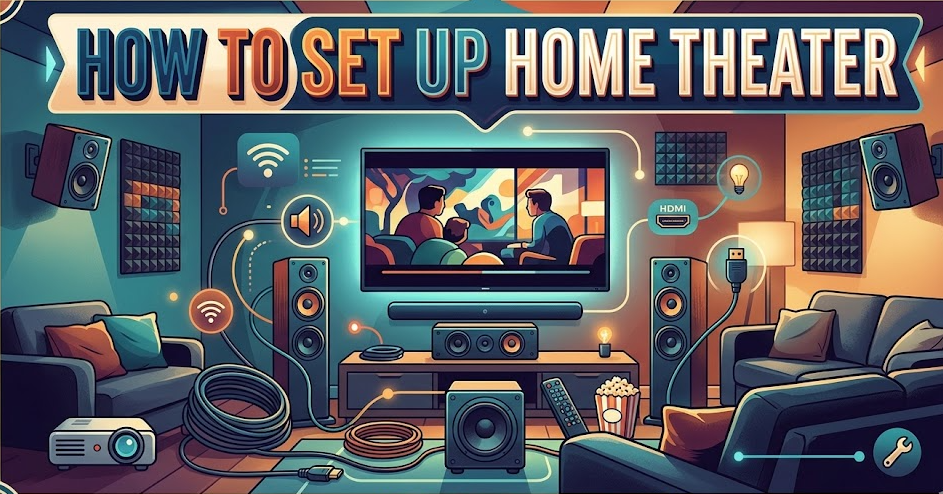
Creating a cinematic experience at home is no longer a luxury reserved for tech enthusiasts. Learning how to set up home theater properly can transform your living room into an immersive entertainment hub where movies, games, and music feel more alive than ever. Whether you’re starting from scratch or upgrading an existing system, understanding the right components, placement, and configuration is key to achieving professional-level sound and visuals.
A well-designed home theater setup involves more than just buying expensive equipment. It requires thoughtful planning, proper speaker positioning, correct wiring, and calibration. Technologies like Dolby Atmos and DTS:X have raised the bar for immersive audio, making setup even more important.
In this comprehensive guide, you’ll learn everything—from speaker placement to projector setup, subwoofer tuning, and connecting your system to a PC or TV. Each section provides deep, actionable insights so you can build a home theater that truly delivers.
How to Set Up Home Theater System
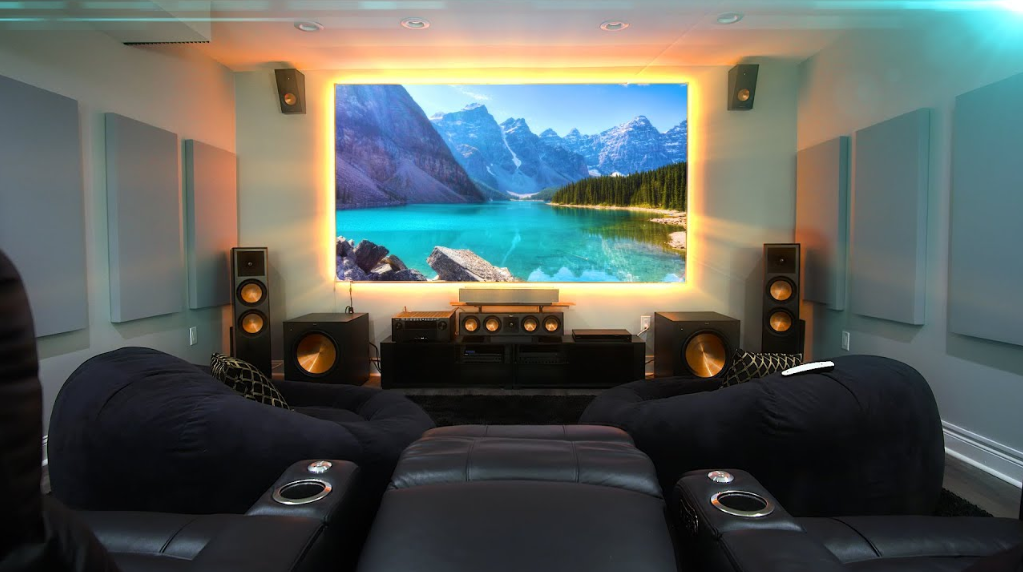
Setting up a home theater system involves selecting the right components, arranging them strategically, and ensuring seamless connectivity between devices. A typical system includes a display (TV or projector), AV receiver, speakers, and media sources.
A properly configured system ensures synchronized audio and video output, delivering a theater-like experience at home. The foundation of your setup determines overall performance, so attention to detail is essential.
The process begins with choosing a central hub like an AV receiver that connects all devices and distributes sound efficiently.
First, choose the right room because acoustics and space significantly impact sound quality. A rectangular room with minimal echo is ideal, as it allows better speaker placement and sound distribution. Avoid rooms with too many reflective surfaces, as they can distort audio clarity and reduce immersion.
Second, invest in a high-quality AV receiver, which acts as the brain of your home theater. It processes audio signals and powers your speakers. Modern receivers support formats like 4K HDR and immersive audio technologies, ensuring compatibility with future upgrades.
Third, plan your speaker layout carefully. A standard 5.1 system includes five speakers and one subwoofer, while advanced setups like 7.1 or Atmos add height channels. Proper placement ensures balanced sound across the room.
Fourth, connect all components using high-quality cables. HDMI cables are essential for transmitting both audio and video signals without loss. Ensure cables are properly labeled to avoid confusion during setup.
Fifth, calibrate your system using built-in tools or manual adjustments. Calibration optimizes sound levels, speaker distance, and frequency response, ensuring consistent performance.
Finally, test your system with different content types such as movies, music, and games. This helps fine-tune settings and ensures everything works seamlessly.
Also Read:- How to Check Tire Pressure: The Complete Beginner-Friendly Guide
How to Set Up Home Theater Speakers
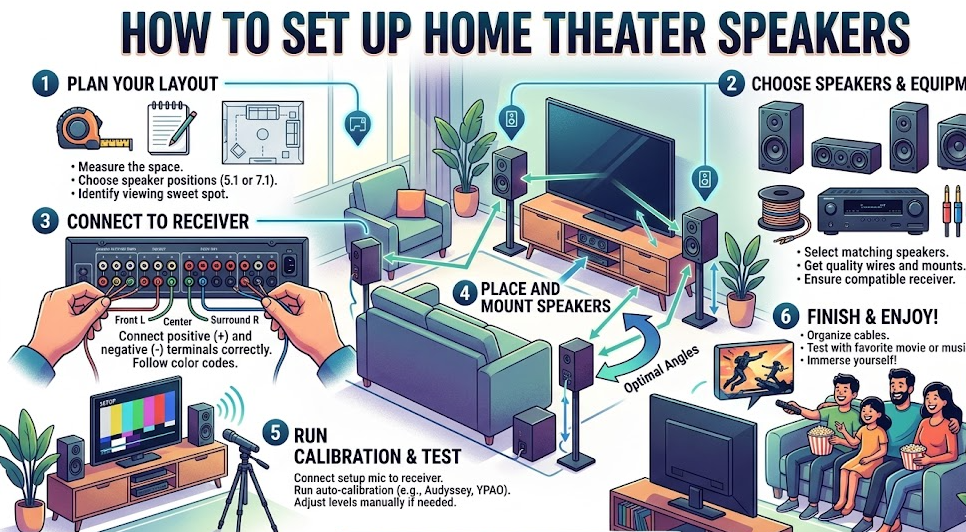
Speaker setup is one of the most critical aspects of building a home theater. Proper placement ensures accurate sound imaging, clarity, and immersion.
Each speaker has a specific role in delivering audio, from dialogue clarity to surround effects and bass impact.
Understanding speaker positioning can dramatically improve your listening experience without additional cost.
Start by placing the front left and right speakers at ear level, forming an equal distance from the main seating position. This creates a balanced stereo image and ensures clear dialogue and sound effects.
Next, position the center speaker directly below or above the screen. This speaker handles most dialogue, so its placement should align with the viewer’s line of sight for natural sound reproduction.
Surround speakers should be placed slightly behind the seating area, at a height above ear level. This placement enhances ambient effects and creates a sense of space within the room.
If you’re using ceiling or upward-firing speakers for Dolby Atmos, ensure they are positioned correctly to reflect sound off the ceiling, adding a vertical dimension to audio.
Maintain equal distances between speakers and the listening position whenever possible. This ensures consistent sound timing and prevents audio imbalance.
Finally, avoid placing speakers too close to walls or corners unless specified. Proper spacing reduces distortion and improves overall sound quality.
Also Read:- How to Pick a Lock – Simple and Complete Guide
How to Set Up Home Theater Sound System with TV
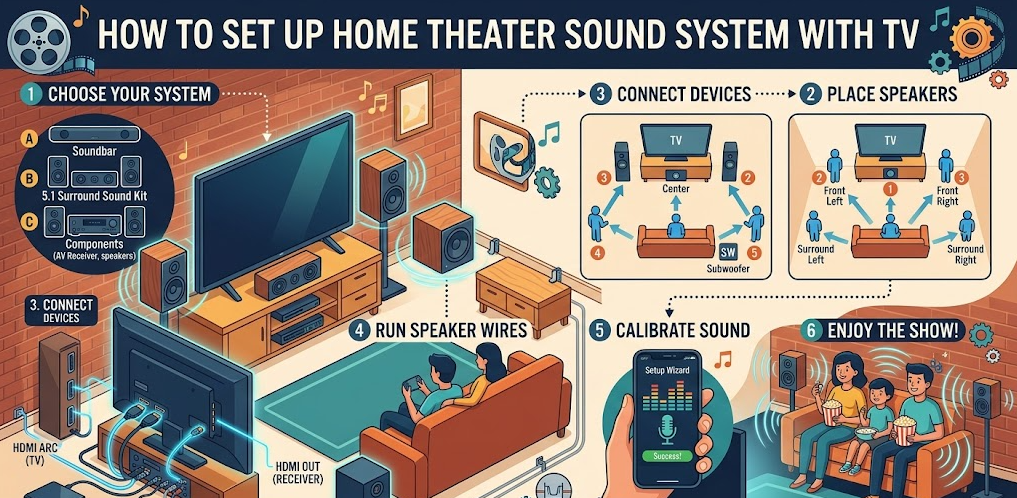
Connecting your home theater sound system to a TV ensures synchronized audio and video output, enhancing your viewing experience.
Modern TVs support advanced audio connections like HDMI ARC and eARC, simplifying setup and improving sound quality.
Understanding the correct connection method is crucial for achieving optimal performance.
Begin by connecting your TV to the AV receiver using an HDMI ARC or eARC port. This allows audio to flow from the TV to the receiver without additional cables.
Ensure your TV settings are configured to output audio through the external system. Disable internal speakers to avoid sound conflicts and ensure all audio is routed through your home theater.
Use high-quality HDMI cables to maintain signal integrity. Poor cables can result in audio lag or reduced quality, affecting the overall experience.
Adjust audio settings on both the TV and receiver to match your speaker configuration. This ensures proper channel output and prevents missing audio elements.
Test your setup with streaming services, Blu-ray discs, or gaming consoles. This helps verify synchronization and audio clarity across different content types.
Finally, update firmware on both your TV and receiver regularly. Updates often improve compatibility and fix performance issues.
Also Read:- How to Light a Charcoal Grill (Beginner Guide)
How to Set Up Home Theater Projector
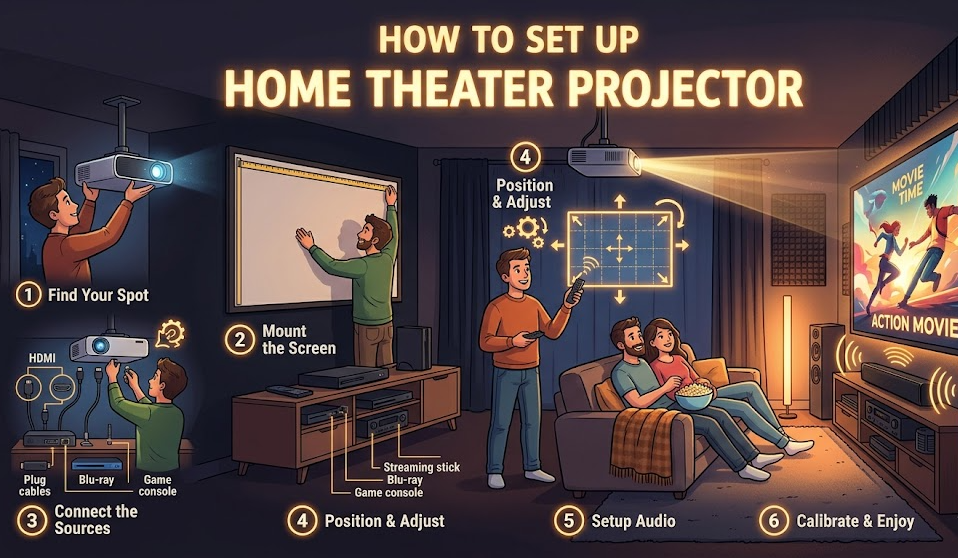
A projector can elevate your home theater experience by providing a large, cinema-like display.
Proper setup ensures sharp visuals, accurate colors, and comfortable viewing.
Projector placement and calibration play a crucial role in achieving the best results.
Start by selecting the right screen size based on your room dimensions. Larger screens provide immersion but require proper viewing distance to avoid strain.
Position the projector at the correct distance from the screen, following manufacturer guidelines. This ensures proper image size and focus.
Align the projector horizontally and vertically to avoid distortion. Use keystone correction sparingly, as excessive adjustments can reduce image quality.
Control ambient lighting in the room. Dark environments enhance contrast and improve overall picture clarity.
Calibrate brightness, contrast, and color settings for accurate visuals. Many projectors include preset modes for movies, sports, and gaming.
Finally, ensure proper ventilation for the projector. Overheating can reduce performance and shorten lifespan.
Also Read:- How to Draw Shrek (Easy Step-by-Step Guide)
How to Set Up Home Theater Subwoofer
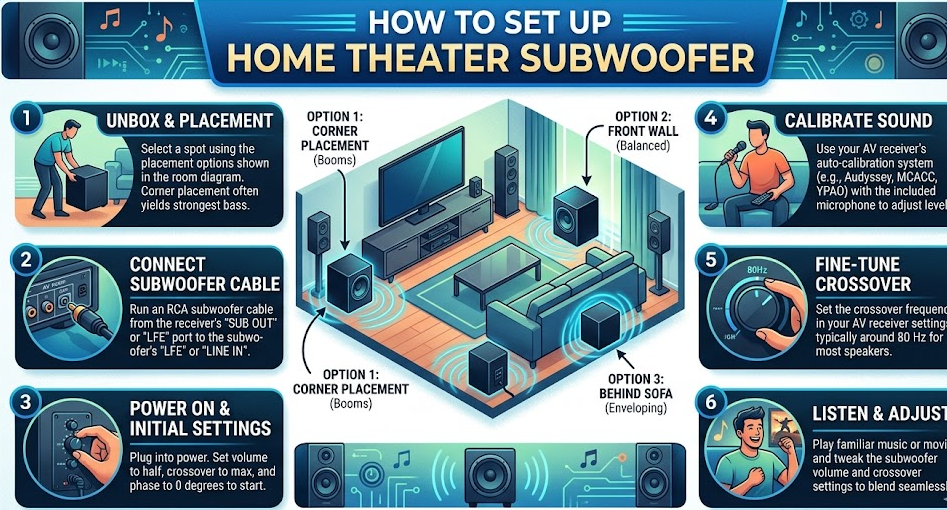
The subwoofer is responsible for delivering deep bass, adding impact and realism to your home theater.
Proper placement and calibration are essential for achieving balanced low-frequency sound.
A well-tuned subwoofer enhances both movies and music experiences.
Place the subwoofer near the front of the room, ideally close to the center speaker. This helps blend bass with other audio elements.
Experiment with placement using the “subwoofer crawl” method. Move the subwoofer around the room to find the position with the best bass response.
Adjust crossover settings to ensure smooth integration with your main speakers. This prevents overlap and ensures clean sound.
Set the volume level carefully to avoid overpowering other speakers. Balanced bass enhances immersion without distortion.
Use room correction tools if available. These tools optimize bass response based on room acoustics.
Finally, test with bass-heavy content to ensure consistent performance across different media.
Also Read:- How to Make Coffee: Simple Beginner Guide
How to Set Up Home Theater PC
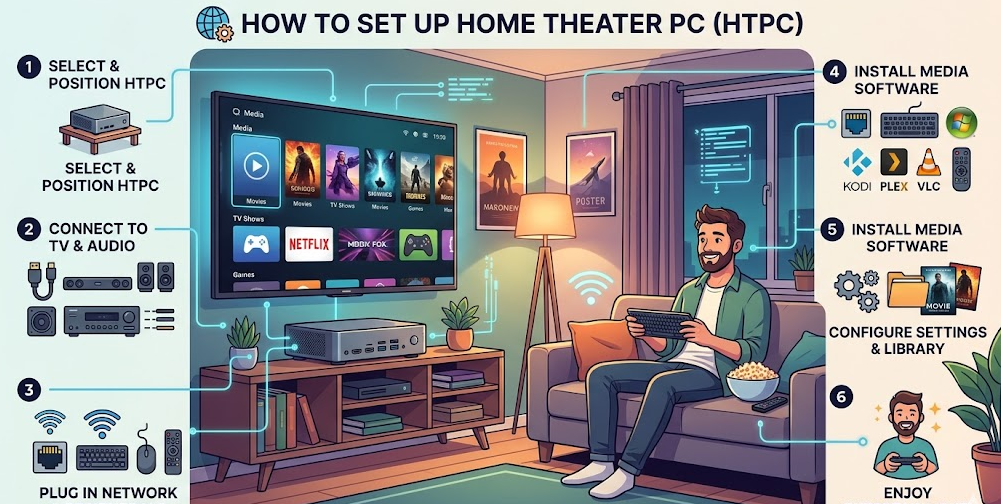
A home theater PC (HTPC) allows you to stream, store, and play media directly through your home theater system.
It offers flexibility and customization, making it a powerful addition to your setup.
Proper configuration ensures smooth performance and compatibility with your system.
Start by selecting a compact and quiet PC suitable for living room use. Noise reduction is important for maintaining a cinematic atmosphere.
Install media software like Kodi or Plex for easy content management and playback.
Connect the PC to your AV receiver or TV using HDMI. This ensures high-quality audio and video output.
Configure display settings for optimal resolution and refresh rate. Match these settings with your TV or projector capabilities.
Set up audio output to support surround sound formats. This ensures compatibility with your home theater system.
Finally, organize your media library for easy access and navigation.
Also Read:- How to Clear Cache on iPhone: Simple and Complete Guide
How to Set Up Home Theater System to Computer
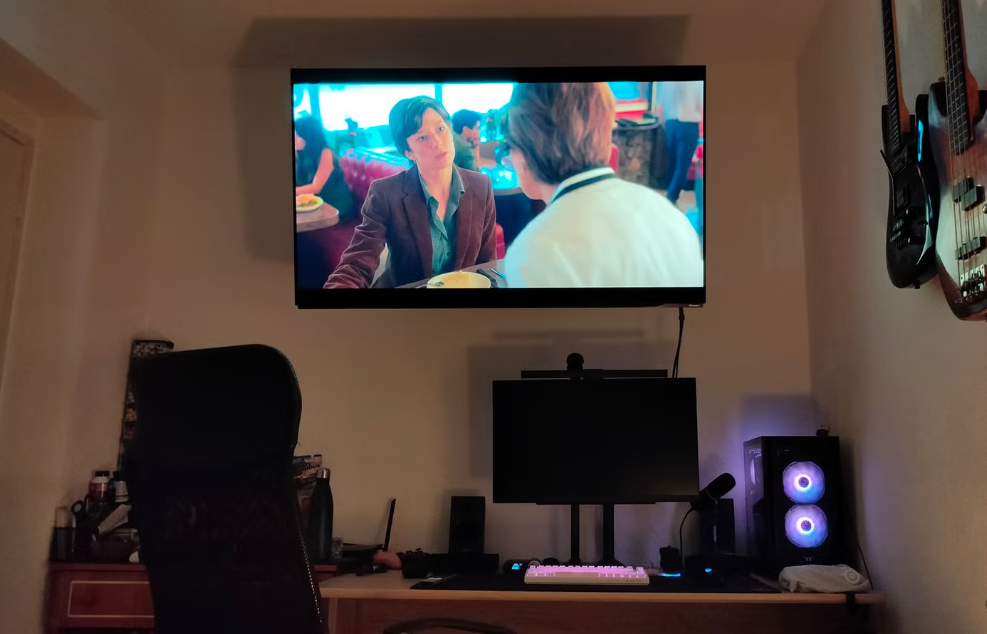
Connecting your home theater system to a computer enhances multimedia capabilities and allows for advanced customization.
This setup is ideal for gaming, streaming, and content creation.
Proper configuration ensures seamless integration and high performance.
Begin by connecting the computer to the AV receiver using HDMI. This allows both audio and video signals to pass through a single cable.
Adjust computer audio settings to output surround sound. Ensure compatibility with your speaker configuration.
Update graphics and audio drivers to support modern formats and resolutions.
Configure playback software to utilize hardware acceleration for smoother performance.
Test the system with different content types to ensure proper functionality.
Finally, optimize settings for gaming or streaming based on your preferences.
Also Read:- How to Find Area: Complete Beginner-Friendly Guide
How to Set Up Home Theater to TV
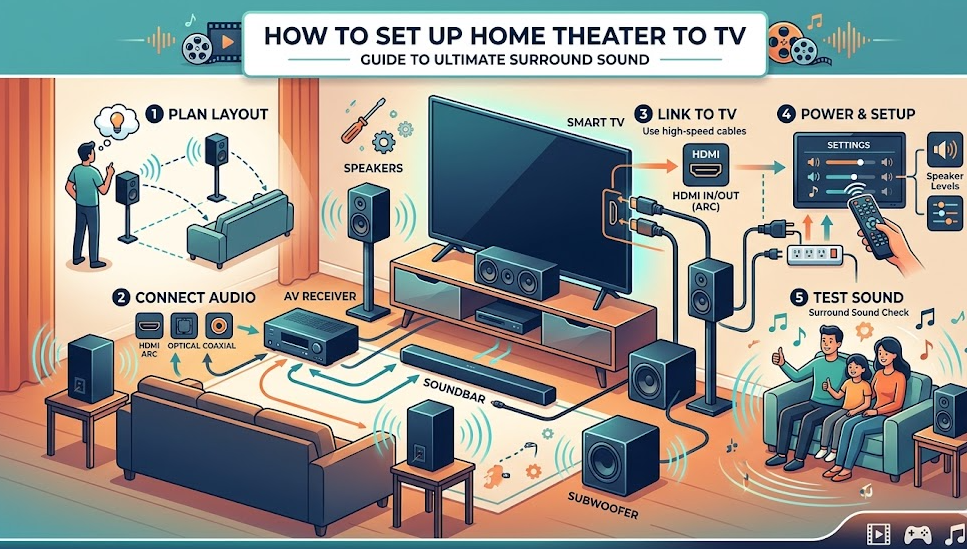
Integrating your home theater with a TV is essential for everyday use.
This setup ensures high-quality audio while maintaining visual clarity.
Proper connection and configuration are key to achieving the best results.
Start by connecting all devices to the AV receiver, then connect the receiver to the TV. This centralizes control and simplifies setup.
Enable HDMI-CEC to control multiple devices with a single remote.
Adjust input settings on the TV to match connected devices.
Ensure audio output is routed through the home theater system.
Test the setup with various sources to verify performance.
Finally, organize cables neatly to maintain a clean and efficient setup.
Also Read:- How to Find Volume: A Complete Beginner-Friendly Guide
Conclusion
Learning how to set up home theater is a rewarding process that transforms your entertainment experience. From choosing the right components to fine-tuning speaker placement and calibrating sound, every step contributes to a more immersive and enjoyable environment.
Whether you’re setting up speakers, connecting a projector, or integrating a PC, attention to detail ensures optimal performance. With the right approach, you can create a home theater that rivals commercial cinemas—right in your living room.
FAQs
What is the best home theater setup for beginners?
A 5.1 system with an AV receiver, bookshelf speakers, and a subwoofer is ideal for beginners.
Do I need a receiver for a home theater?
Yes, an AV receiver is essential for managing audio and connecting multiple devices.
Can I use a TV instead of a projector?
Absolutely. TVs are easier to set up and work well in bright rooms.
Where should I place my subwoofer?
Near the front of the room, but experiment for the best bass response.
Is a home theater PC necessary?
Not required, but it adds flexibility for streaming and media management.
How long does it take to set up a home theater?
Typically 2–5 hours depending on complexity and calibration.
For More UpdateS Visit: Accurate Unit Convert